Skip to content

Today’s jobs on the crew’s phone, even without signal.

Addresses, scope, checklists and photos for the crew. No prices, no money. Hours and extra work go straight to the office.

Product preview. Helmar.AI is in development. The features shown are planned; accounts and integrations are not open yet.

Designed for

  • Web
  • iPhone
  • Android

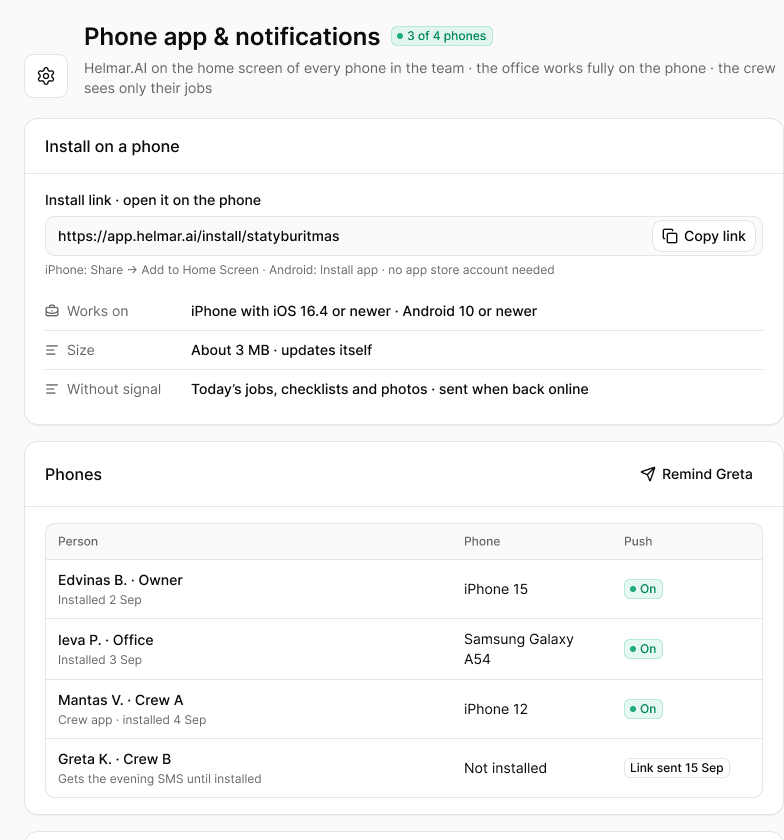
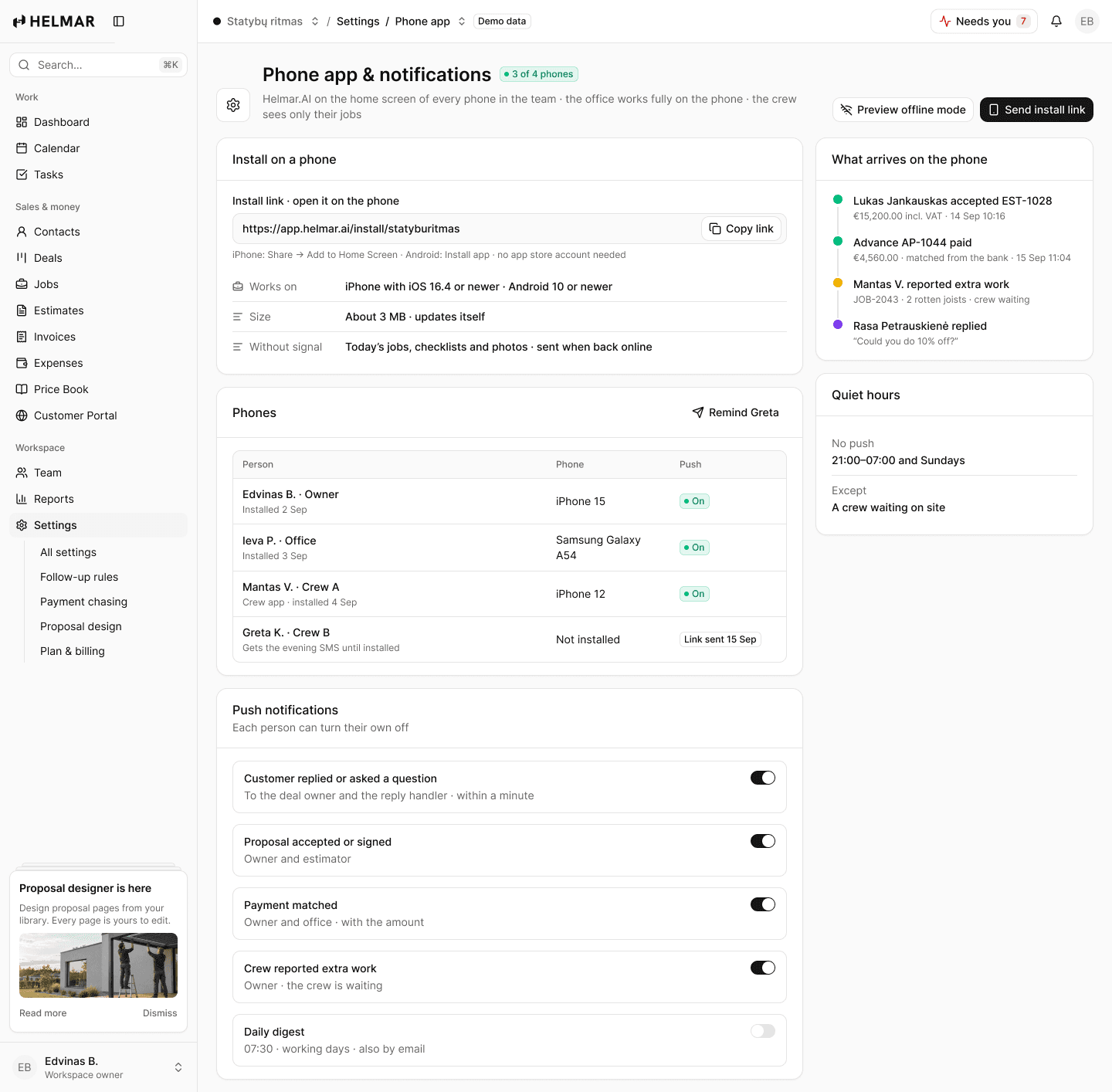
Planned: install from a link by SMS. No app store.
  • On the phoneinstalled from a link
  • Works offlinesent when back online
  • No moneyprices stay in the office
workspace.helmar.app
Crew app in Helmar.AI

Without Helmar.AI

  • Addresses and gate codes lost in a WhatsApp group
  • Paper checklists that never reach the office
  • Hours written on the back of a receipt

With Helmar.AI

  • Today’s jobs with the address, scope and notes
  • Checklists and photos saved with the job
  • A timer per job; the office approves the week

How it works

Four steps, in this order.

01

Today

The crew sees today’s jobs, the address and what to bring.

02

On site

Checklist, photos and the timer; extra work reported with a photo.

03

Without signal

Everything is kept on the phone and sent when it is back online.

04

Finish

The customer signs the handover checklist on the phone.

Features

Made for the way small teams actually work.

Today’s jobs

Address, scope, customer notes and who else is on site.

Works without signal

Photos, checklists and the timer are kept on the phone and sent later.

Photos with the job

Before and after, shown to the customer when the work is done.

Checklists

Handover, safety and inspection templates, with required photos.

Report extra work

A photo and a note; the owner turns it into a change order.

Time per job

Start, pause and stop; approved hours go into the job margin.

In detail

The specifics.

Install
A link by SMS · iPhone and Android · no app store
Offline
Today’s jobs, checklists and photos
The crew sees
Their own jobs, addresses, scope and photos
The crew never sees
Prices, margins, invoices or other jobs
Collect payments
Crew leads you allow · only the amount due at the handover
Location
Never tracked
Plans
Team and Business

Questions

Straight answers.

Does the crew see prices?
No. The crew app shows jobs, addresses, scope, checklists and photos. One exception you control: a crew lead with the Collect payments permission sees the amount due at the handover.
What if there is no signal on site?
The crew keeps working. Photos, checklist steps and the timer are saved on the phone and sent when it is back online.
Do crew members count as users?
No. Crew app users are free on every plan.
Do you track where the crew is?
No. The app records hours per job, never a location.

See the preview

See how your next estimate could work.

Explore the product preview in a 20-minute demo. Accounts are not open yet. No card, no obligation.